FBA Inbound Shipment Problems: 7 Leaks and How to Spot Them
Your biggest inbound shipment of the year is already inside Amazon's network.
The FBA cutoff for Black Friday and Cyber Monday was October 21 in the EU and October 28 in the UK.
Thousands of late shipments are now queuing at the same fulfillment centers. In my experience, this is when Amazon's network runs beyond capacity, on best effort.
What happens to your boxes next depends on Amazon. What it costs you depends on what kind of seller you are.
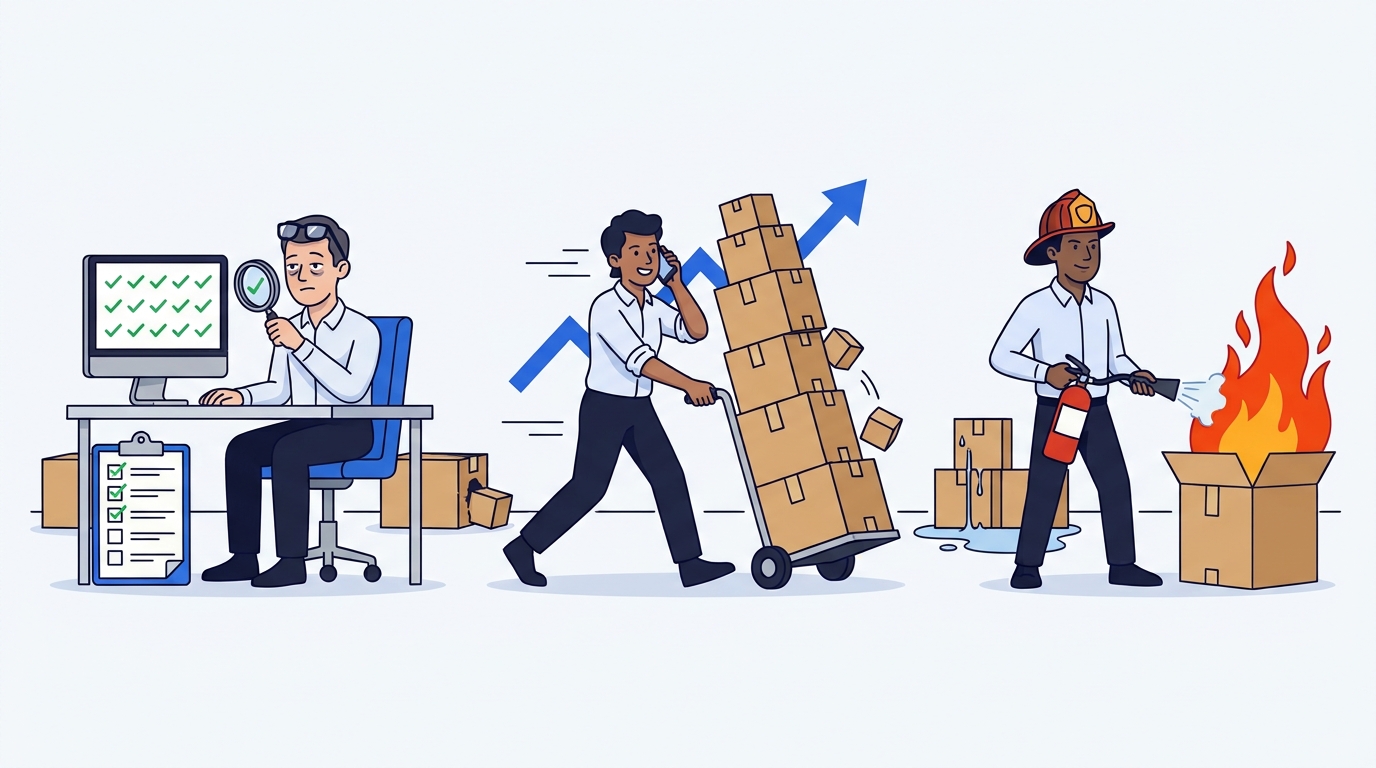
When it comes to FBA shipments there are 3 kinds of seller:
- The Hyper-controller checks every shipment twice a day.
- The Full-Throttle is scaling too fast to check any of them.
- The Firefighter chases the big losses and lets the small ones go.
The Hyper-controller, the Full-Throttle, the Firefighter. Which one are you?
Keep yours in mind. Each of the 7 leaks below catches at least one of them out.
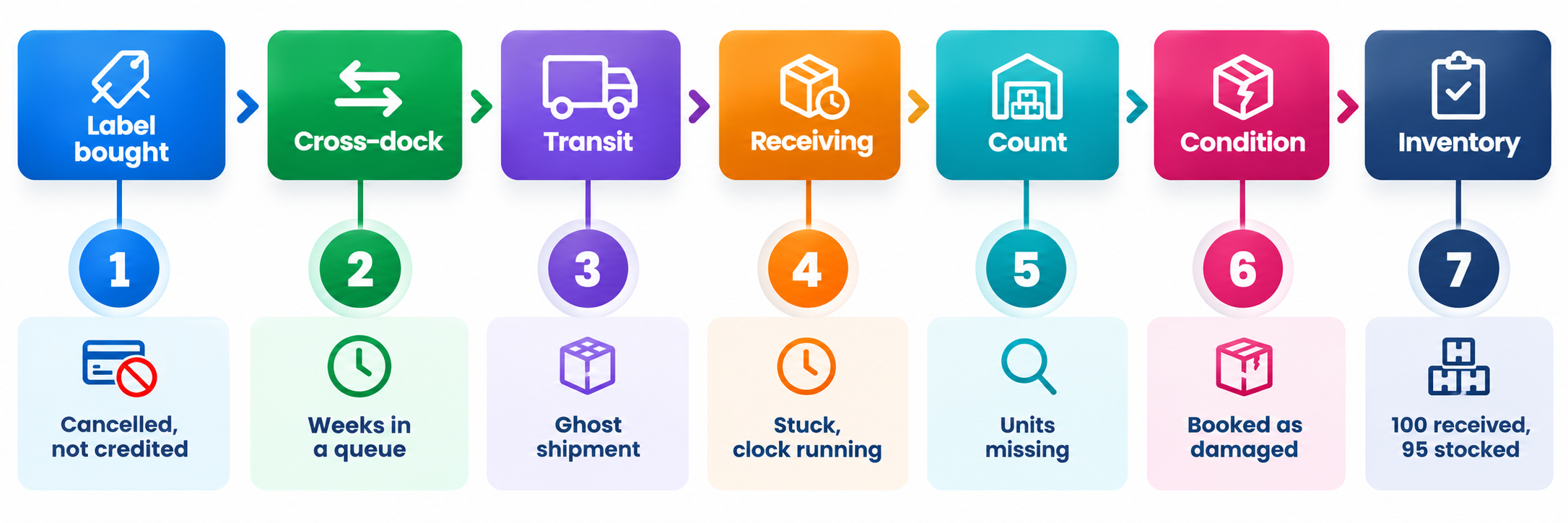
Quick Answer: FBA inbound shipment problems come in 7 forms, and only one of them looks like a disaster. In the order a shipment meets them:
- a cancelled shipment whose Amazon label is never credited back
- a cross-dock queue that holds your stock for weeks
- a shipment stuck in receiving while the claim clock runs
- a ghost shipment: checked in, nothing inside
- units missing from the count
- units booked as carrier-damaged
- units received but never added to your inventory
You spot them by checking each shipment against your inventory, one by one.
🚚 Why Do Q4 Inbound Shipments Go Wrong So Often?
Q4 puts the most units into Amazon's network exactly when it has the least room to handle them carefully.
Every inbound shipment lives in two places at once. There is the floor: trucks, docks, scanners, people. And there is the screen: the shipments page and your inventory in Seller Central.
Each leak below has the same shape. Something happens to your boxes on the floor. The screen shows something else, or nothing at all.
The deadlines around all this are in Amazon Q4 2026 Deadline Checklist for FBA Sellers. Here we follow the boxes.
🧾 What Can Go Wrong Before Amazon Counts Your Units?
Three leaks happen before your units are even counted: a charge you should not pay, a queue you cannot see, and a receiving status that never ends.
Leak 1: The cancelled shipment you still paid for
A lot of sellers buy their inbound label from Amazon, because it is the easy default.
But plans change and you cancel the shipment.
The money does not come back on its own. The shipment shows as cancelled. The label charge stays where it is, until someone asks for the credit.
How to spot it: for every cancelled shipment with an Amazon label, find the matching credit. No credit, no refund.
Who misses it: the Firefighter and the Full-Throttle. One label is too small to chase, and too small to notice.
Leak 2: The cross-dock queue
This May, one of our customers had 14 shipments accepted at BLQ8, a cross-dock centre near Modena, Italy.
Then nothing moved. For about a month, the units sat between acceptance and the start of receiving.
The stock was seasonal, bought to sell over the summer break. For seasonal stock, a month is a big slice of the selling window.
On the screen, nothing looked wrong: the shipments had been accepted, with no alert and no error.
This one costs you selling days. I expect it to happen more in the coming weeks, with the cutoff behind us and the network full.
How to spot it: compare the date a shipment was accepted with the date receiving started. A gap of weeks means it is sitting in a queue.
Who it hurts most: the Full-Throttle. Stock stuck in a queue is growth on hold, and their whole plan runs on that stock selling on time.
Leak 3: The shipment stuck in receiving
A shipment can sit in receiving for months. After 6 months, it closes on its own, and your chance to claim closes with it.
Receiving should take a few weeks, but some shipments stay in that status far longer. Then one day the shipment simply closes, and whatever was missing stays missing.
The claim clock started the day receiving started. But the shipment will not show as completed and eligible for a claim.
This is the leak that hides in the shadows. Nothing broke on the floor: the failure sits in Amazon's own digital process.
How to spot it: list every shipment still in receiving well after its delivery, and ask why.
Who misses it: all three, most likely. The Firefighter and the Full-Throttle never look this far. Even a sharp Hyper-controller, checking every day, only finds it if they know what to look for.
📦 Why Does Amazon Count Fewer Units Than You Shipped?
There is no single reason, only one certainty: it happens from time to time, because it is part of FBA.
Units fall out of damaged boxes. Some fulfilment centres count by machine, others by hand, some as boxes arrive. Then there are plain errors, and now and then theft.
 Checked in. What's inside is another question.
Leak 4: The ghost shipment
Sometimes the whole shipment disappears. Internally at Eagle Eye, we call it a ghost shipment.
Usually the shipment checks in at the fulfilment centre. Then Amazon says there were no units inside.
The damage is bigger, and the road to getting the money back is harder. Every step of the claim meets more resistance.
The carrier matters here. Shipping with Amazon's partnered carrier, such as UPS, generally helps your claim. It does not guarantee a shipment free of issues.
How to spot it: a shipment that checked in at the fulfilment centre, with zero units received.
Who misses it: almost nobody. This is the fire the Firefighter is built for, and they will fight it hard. But... at what cost?
Keep that in mind, because it matters later.
Leak 5: The units that never arrived
This is the most common leak of all: you shipped 100 units, and Amazon counted fewer.
On paper, the fix is simple. You open a case and ask for the missing units.
In practice, it is work. You gather your proof, explain the shipment, and wait. Amazon may ask for more, pay only part of it, or say no. Each round of replies adds more days.
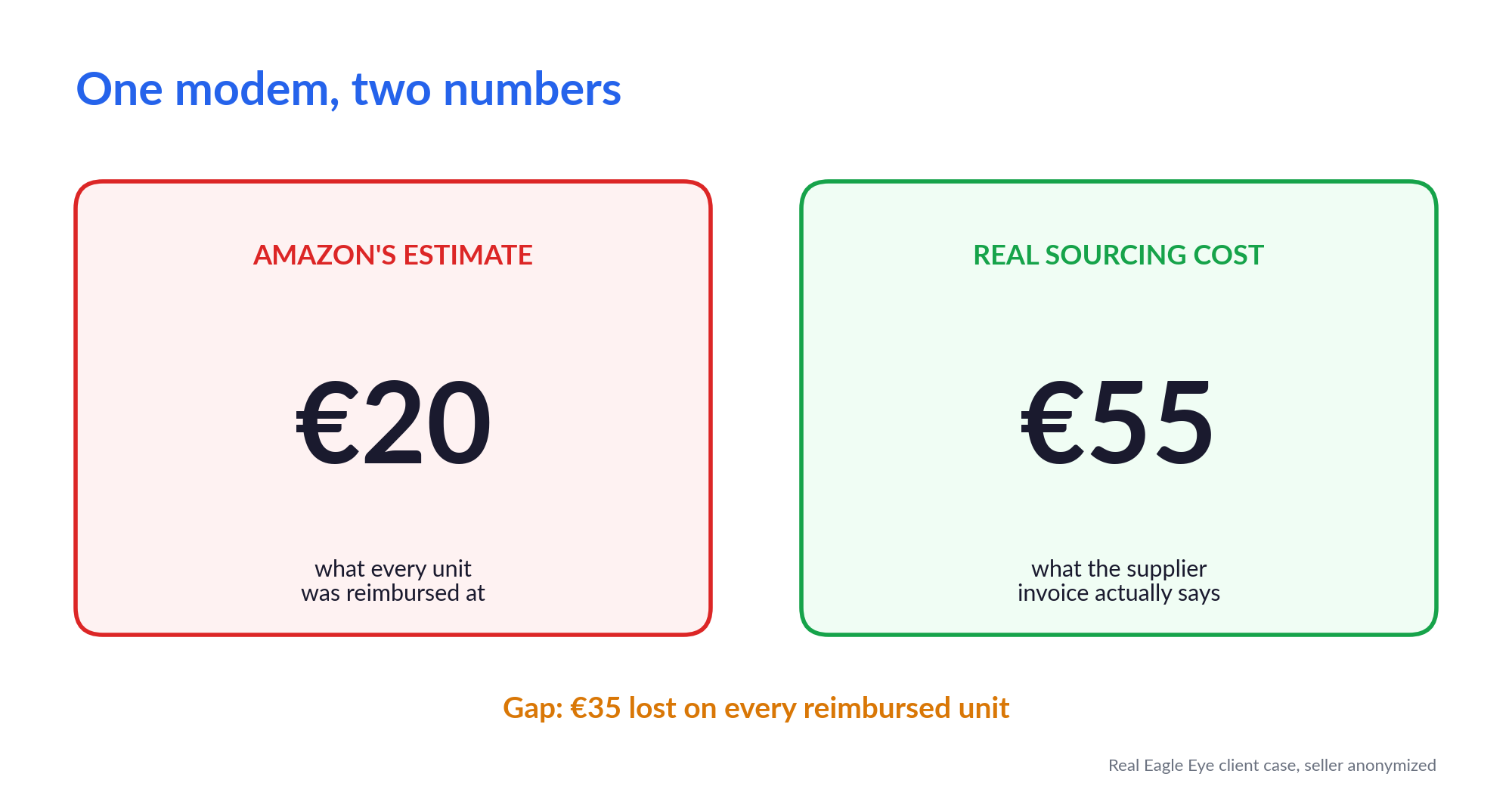
When the refund does come, it is paid at your sourcing cost. If yours is outdated, Amazon pays you less than the units cost you.
I covered why in Your FBA Reimbursements Are Low. Here's Why., and how to fix it in Two Rejections Later, One Sourcing Cost Update Was Worth €805.
How to spot it: compare units shipped with units received on every shipment, including the small gaps.
Who misses it: the Firefighter and the Full-Throttle. Five units here, three there. Each one means a case, proof and weeks of back-and-forth, so none of them feels worth it.
✅ What Can Go Wrong After Receiving Is Complete?
Receiving can be done and the shipment closed, and units can still go missing.
"Received" on the shipments page and "added to your inventory" are two different things. You have no guarantee they will always match.
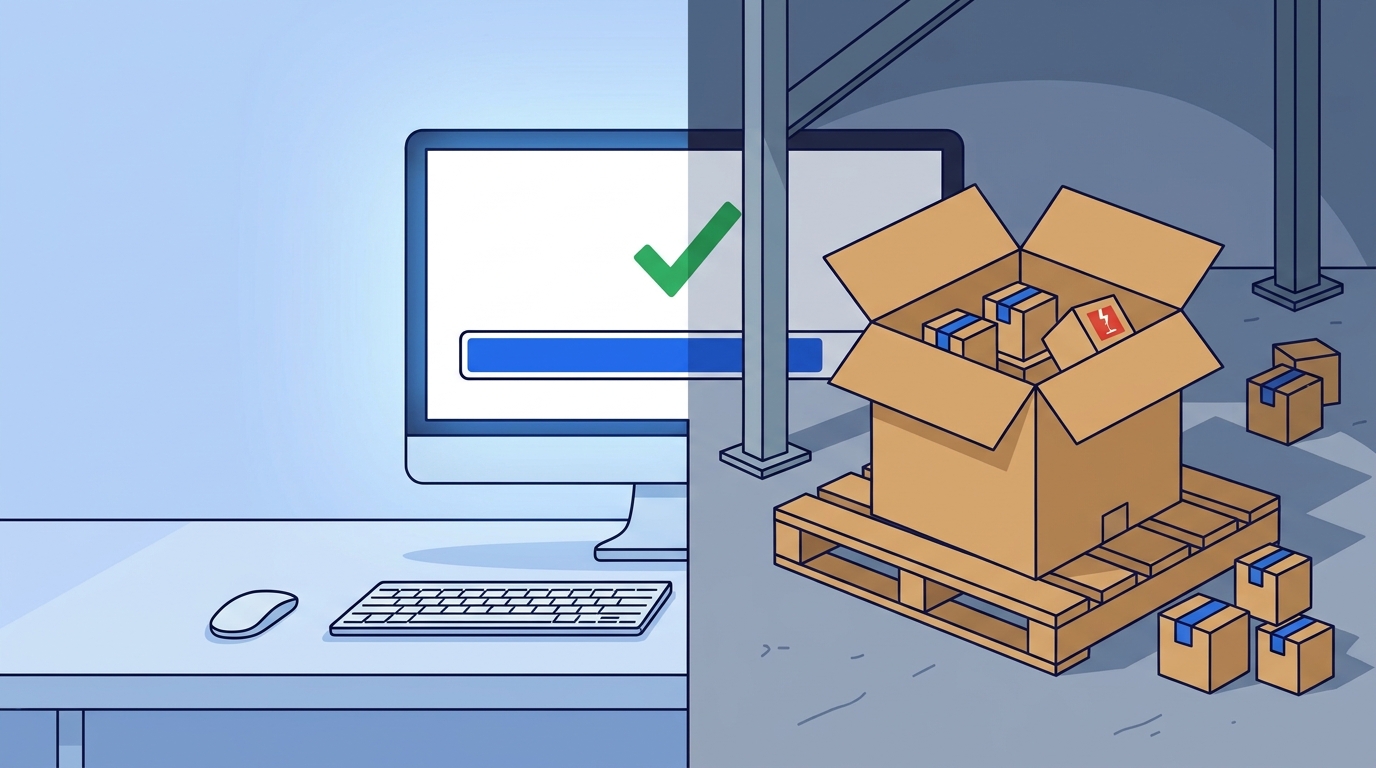 The screen says 100 out of 100. The floor tells another story.
Leak 6: Received, but booked as damaged
All 100 units arrive. Amazon adds 95 sellable units to your inventory and books 5 as carrier-damaged.
Those 5 should be reimbursed. If you shipped with the partnered carrier, you are entitled to it.
Nothing on the shipments page tells you this happened. The split only shows in your inventory.
How to spot it: for each shipment, check how many units your inventory booked as damaged.
Who misses it: the Full-Throttle and the Firefighter. Nobody has time to open the inventory record for every shipment, and five damaged units never look worth a fight.
Leak 7: Received 100, stocked 95
This one is the clearest gap of all between the screen and the floor.
The shipments page says 100 received out of 100, and everything looks closed and clean.
Now look at the other side: your inventory balance (Amazon's Inventory Ledger). Did it go up by 100? Or did Amazon add only 95 to your active inventory?
Five units gone between two screens, with no case and no alert.
Have you ever checked your last shipment this way?
How to spot it: for every closed shipment, check that your inventory went up by exactly the number received.
Who misses it: all three, the Hyper-controller first. They see "100/100" and relax. The page they check every day is the one that looks perfect.
🧮 Which Inbound Leak Costs FBA Sellers the Most?
"Beware of little expenses; a small leak will sink a great ship." – Benjamin Franklin
The small ones, added up over a year.
The ghost shipment is loud, so it gets noticed and it gets fought. The other six are a few units, one label, a month of delay. Each one looks too small to fight.
Add them up across every shipment, for twelve months, and they build into a sizable amount. That is where most of the inbound money sits.
And here is the uncomfortable part. Whichever seller you are, you pay:
- The Hyper-controller pays in time and sanity. They check every day, see only the surface, and still miss something.
- The Full-Throttle pays in lost reimbursements and stalled growth. Nobody looks, so every leak stays open.
- The Firefighter pays slowly. They win the ghost shipment and lose the year to the other leaks.
Three ways sellers react. All three still pay.
The windows behind these leaks close silently. Help is worth the most before they close, while the money can still come back.
Recognised yourself in one of the three? If you want to change the situation take action now.
Leave your number and I will call you back in 15 minutes.