FBA Returns & Removals: the Time of Truth
If you sell on Amazon, FBA removals are not a side topic.
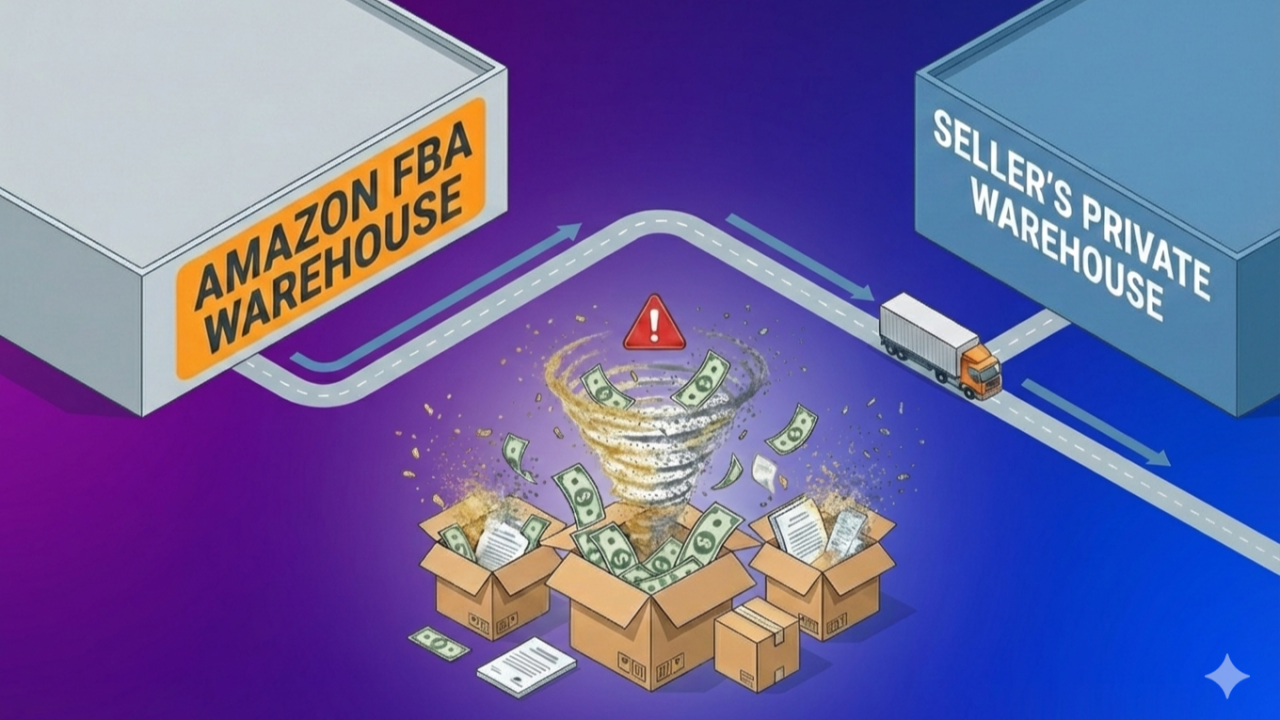
They are traveling inventory. Traveling cash. Traveling risk.
And for most sellers, they are completely invisible.
The Blind Spot in Most FBA Businesses
Ask yourself:
Do I really know how much money came back from FBA to my warehouse this year?
Most seven-figure sellers can't answer this. That's the problem.
FBA Removals are the bridge between:
- FBA returns
- FBA evaluation process
- FBA Reimbursements
- YOUR own warehouse
- YOUR resell opportunities
If you don't understand removals, you don't understand your true profit.
But before we go deeper, we need to clarify a couple of important concepts.

Removal Orders vs. Removal Shipments
Amazon uses two different concepts:
1. Removal Orders
A removal order is your request to take inventory out of FBA and have it delivered to your warehouse.
It is either:
- Sellable
- Unsellable
No mix of the twos in the same order.
You can create removal orders manually or automatically through appropriate FBA settings.
2. Removal Shipments
A single removal order can be fulfilled in multiple shipments.
Why? Because Amazon ships from different fulfillment centers.
One order → Many shipments → Many boxes → Many risk points
Stop thinking of removal orders and start considering removal shipments.
Sellable vs. Unsellable
Every removal falls into one of two categories.
1) Sellable Removals
Characteristics:
- Units are still in customer-ready condition
- Often come from overstock automated settings
- Or manual cleanup
This is first-quality capital. If managed well, it goes back to profit. If ignored, it quietly depreciates.
2) Unsellable Removals
For the most part this are FBA customer returns:
- In some cases, they are almost as-good-as-new, but Amazon didn't take the responsibility of putting them back to sale.
- "Genuine" returns, either damaged or defective.
- Fraud returns - the worst - involving shady customer behavior on which you are 100% eligible for refunds.
The only way to save this capital is to make it come back home.
 The Travelling Capital
Why FBA Removals Are "Traveling Capital"
Peter Drucker famously said:
What gets measured gets improved.
But most sellers never measure FBA removals.
Think about it. When inventory is:
- In FBA → You track it
- In your warehouse → You track it (and you can physically inspect it)
- In transit to FBA → You track it (and make sure everything is loaded properly)
But when it comes to FBA removals? Most sellers stop tracking.
Yet that inventory still has:
- Cost
- Opportunity value
- Reimbursement potential
It is capital in motion. And unmanaged capital leaks.
The Question That Changes Everything
Before optimizing anything, one question matters:
How much money is really at stake with removals?
Which brings us to the real question: how do you actually measure it?

The Hard Way
Some sellers try to calculate this manually. They use a combination of Seller Central reports:
- Removal Order Report
- Inventory Adjustment Report
- Reimbursement Report
- Return Report
With a complex combination of Google Sheets formulas, it is possible to get partial results. But it is time-consuming and is error-prone.
There is a better alternative.
The Smart Way
We built a simpler approach. A focused audit to answer:
How much money is my removal game worth?
And can I get reimbursements for Amazon errors?
No spreadsheets. No manual work. No guessing.
Get your numbers in 2 minutes →
Real Question: Were You Aware of Your Number?
When sellers see their audit results, reactions are similar:
- "I had no idea."
- "I thought it was much lower."
- "We've been missing this for years."
Which reaction will be yours?

What Top Sellers Do Differently
High-performing sellers treat FBA removals as a system, they:
- Track removal shipments
- Inspect contents in a standard, repeatable way
- Automate reimbursements using trusted partners
They don't "hope" removals work.
They use systems that guarantee consistent outcomes.
Your Next Step: Run Your Free Audit
If you are ready to get serious about FBA removal and want to improve your margins, start here.
Run your free FBA Removal & Returns Audit →
P.S. No mail required.
Further Reading: FBA Profits at Risk: The Amazon Holiday Return Trap